What happens to a change, from the pull request to the last environment.
You describe your repository in a file called infranautic.yaml. Each directory of OpenTofu code is a component, and each copy of it with its own state, such as app-prod, is a deployment.
Every pull request is planned against each deployment it affects. On GitHub you get one check per component, and plan warnings show up as annotations on the files they're about.
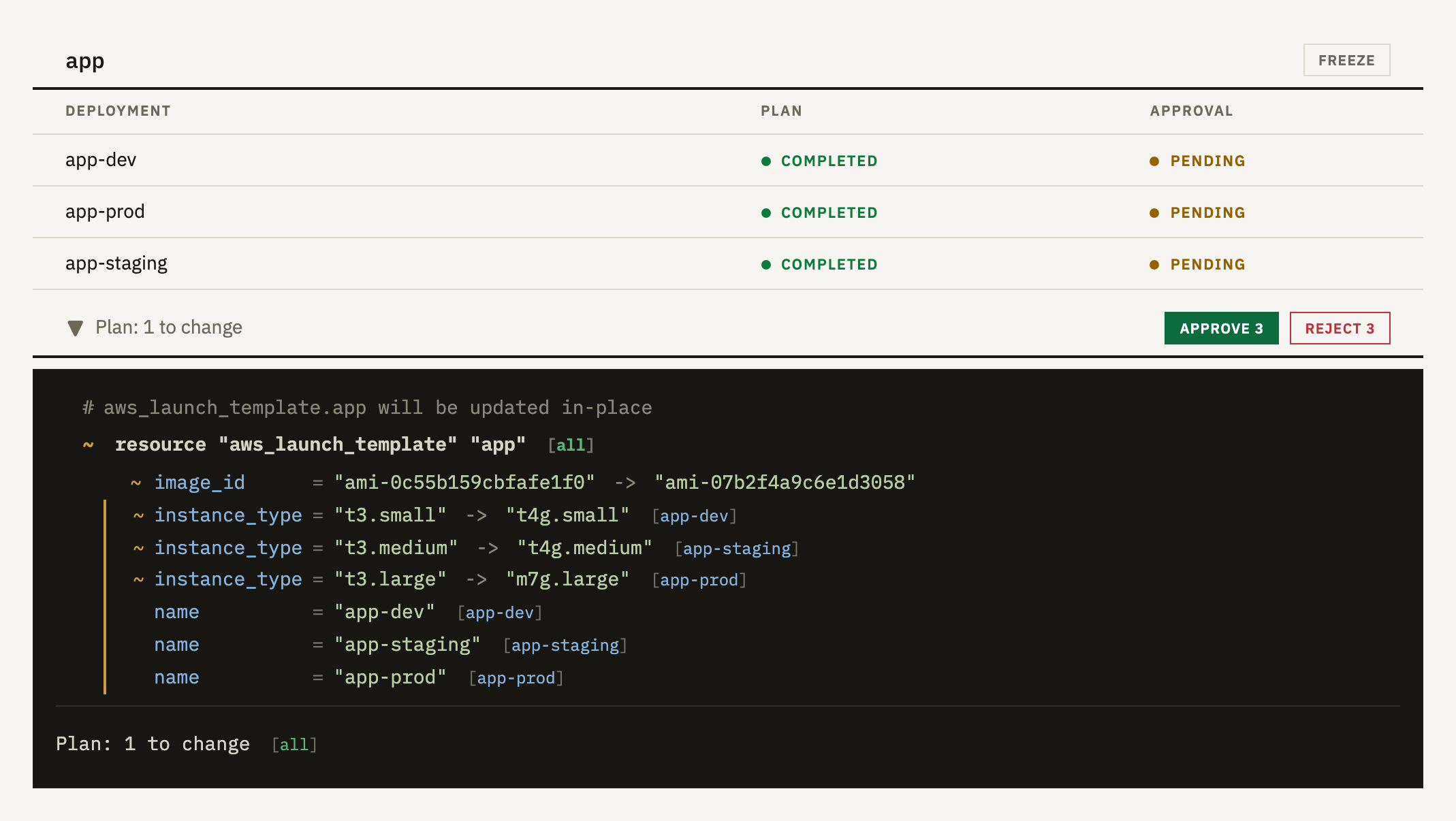
The plans for a component are merged into one. A change that's the same everywhere appears once, and a value that differs is shown for each deployment, labelled with its name. One Approve button covers every deployment.
Push another commit and the new plans are compared with what you approved. If there's nothing new in them, your approval carries over. Stacked pull requests work too, and each one only asks you about what it adds.
Things can change after you review a plan: someone edits a resource by hand, another pull request merges first, or a data source starts returning something newer.
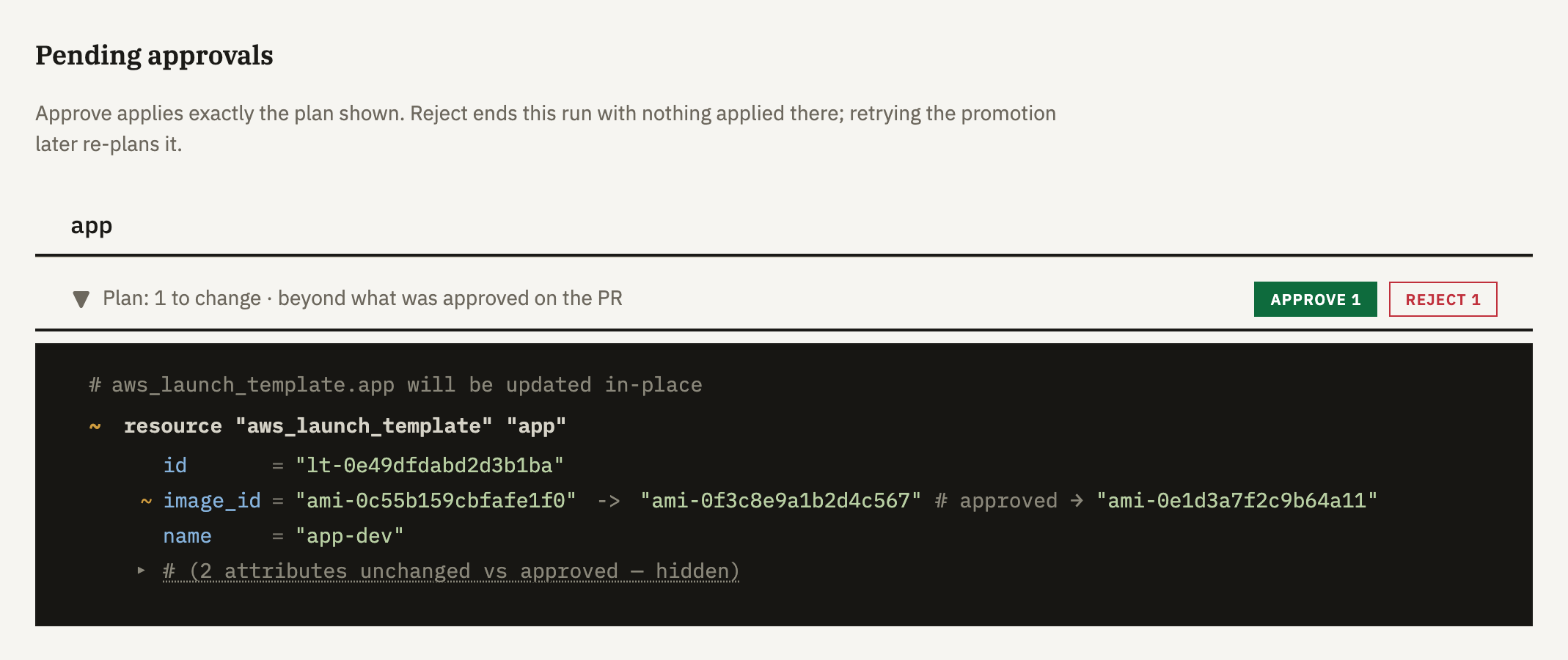
So we plan again right before applying and compare the result with the plan you approved. If it's no more than you approved, it goes ahead. If it isn't, the apply waits for a decision, and you're shown only what's changed since your review.
Some differences need no decision, such as a value that was unknown at plan time now being known, or a resource you approved deleting having already gone.
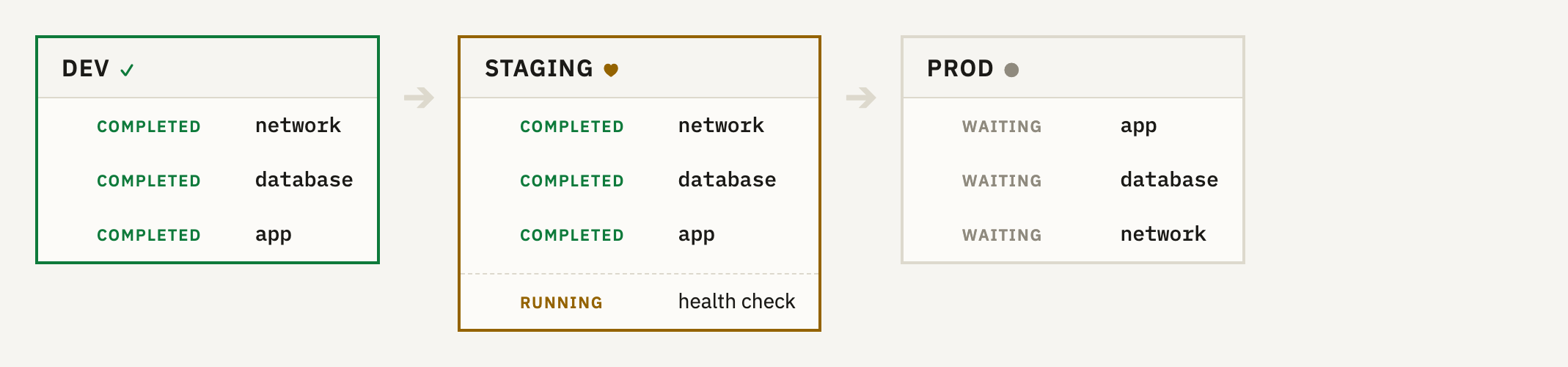
Merging a pull request starts a promotion through the stages you list in infranautic.yaml. Each stage picks its deployments by label.
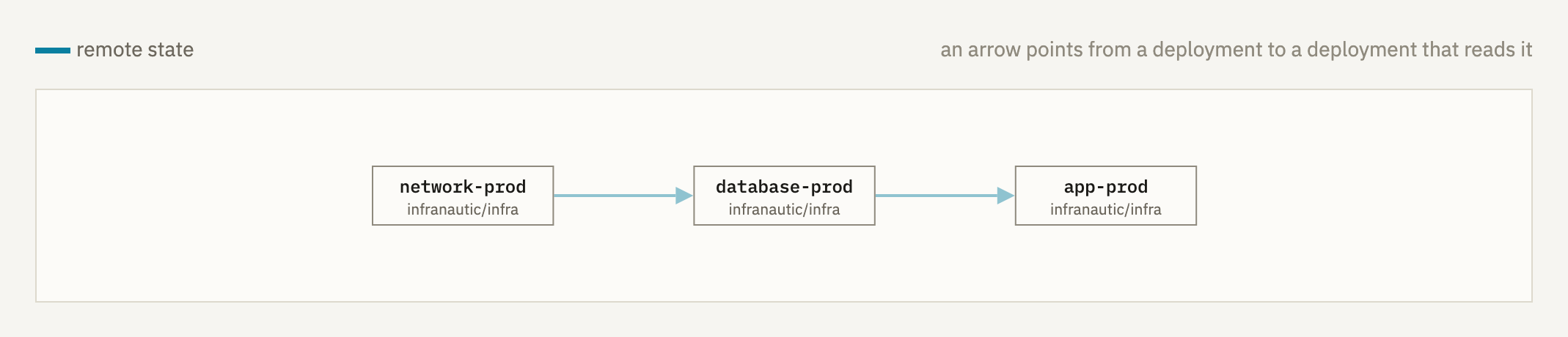
Stages run in the order you write them, or in parallel. Within a stage, a deployment that reads another's state applies after it.
A stage can run a health check script from your repository. It gets each deployment's outputs, and if it fails, the later stages don't start.
promotion: stages: - match: {environment: dev} - match: {environment: staging} health_check: script: scripts/healthcheck.sh - match: {environment: prod}
Every plan and apply is also a drift check, so a busy deployment rarely needs a separate one. A deployment that's gone a day without a plan or apply gets checked anyway.
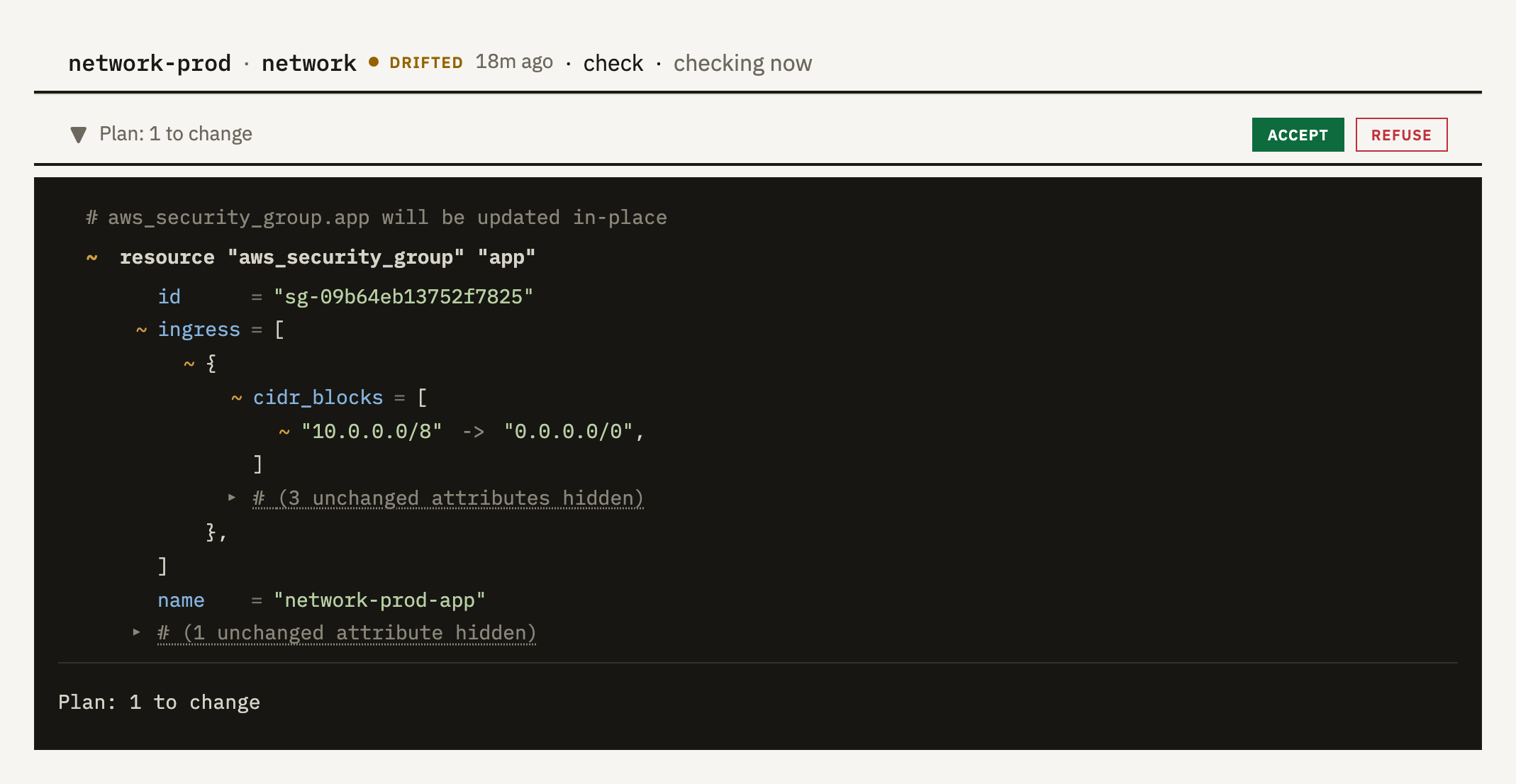
When your infrastructure no longer matches the code, the drift page shows the plan that would put it back. If you accept, we apply the code again, limited to that plan. Otherwise nothing is touched.
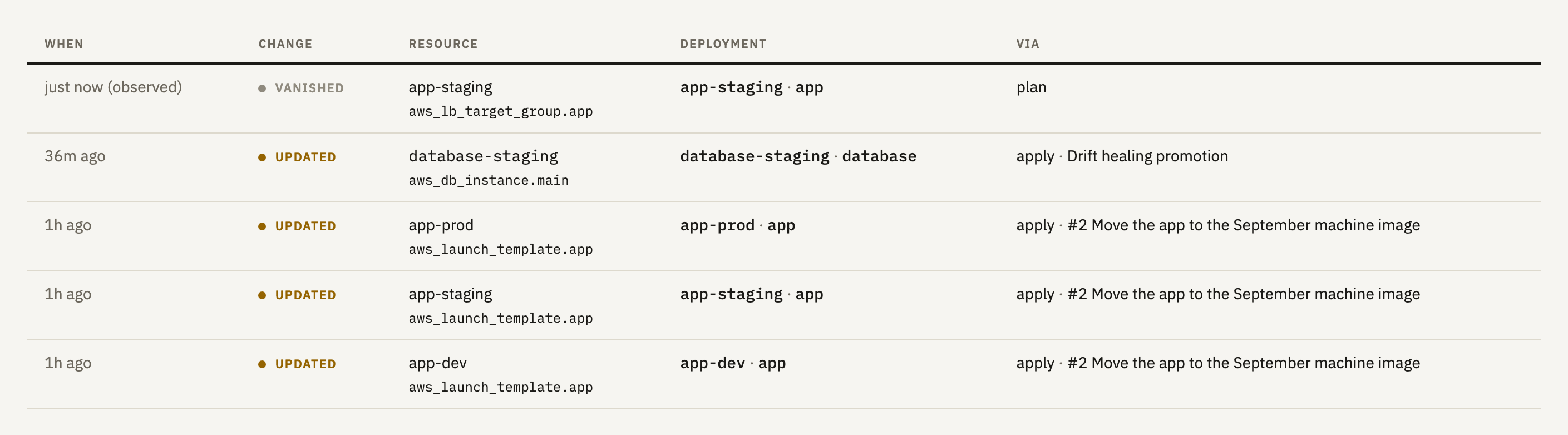
The Activity page lists every resource change across your deployments, newest first, and each row says why it happened, whether that was a pull request, a drift fix you accepted or a scheduled apply.
Changes made outside Infranautic show up too, marked as observed, from the moment a plan noticed them. During an incident, jump to a time and see what moved. Search for any resource by name or cloud ID to see everything that's happened to it.
A deployment depends on another when it reads something the other manages. We find these links in your plans, from remote state and data source lookups, so there's nothing to declare.
They set the apply order within a stage, and on a pull request they show which deployments in other repositories depend on the ones you're changing.
Apply chosen resources on a cron schedule, for jobs like certificate renewal.
Pause applies to chosen components during a change window. Plans and drift checks carry on, and pull requests can still merge.
Modules are validated on every pull request. If you change one, you'll see the deployments in other repositories that use it.
OpenTofu Operations get short-lived credentials for AWS, Google Cloud or Azure through OIDC federation. Plans and applies can use different roles.
Each operation runs in its own single-use micro-VM. Use our runners, or register a runner cluster in your own AWS account.
Your OpenTofu state stays in the backend you already use, and your code stays on GitHub. We keep each operation's plan and results for 30 days, and no value marked sensitive is stored in a readable form.
Anyone who can write to a repository on GitHub can approve its plans, and there's no charge per user.
Operations run OpenTofu, which runs standard Terraform code.
We're onboarding our first customers personally, so access is by invitation. Email us about your setup and we'll get you going.